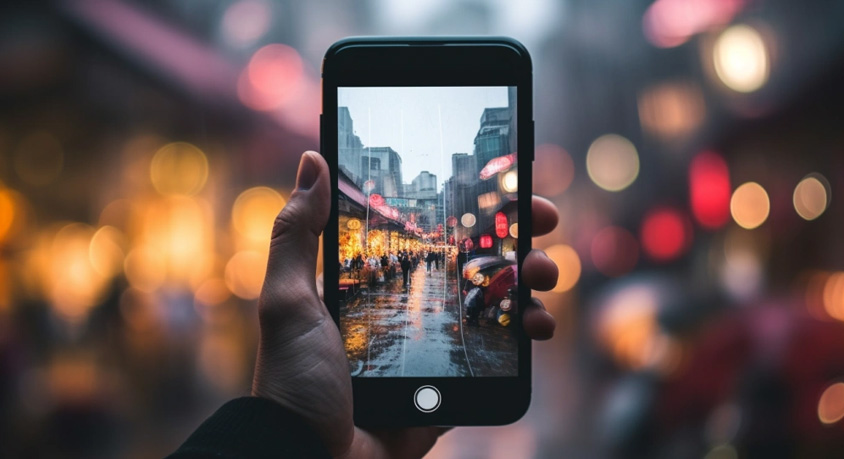
You’re scrolling through your camera roll, cringing at blurry sunsets and lopsided selfies, wondering why your photos never look as good as your friend’s—they’re not a pro, they’re just using one simple setting you’re sleeping on: grid lines. Most phones hide this feature in camera settings, but a 2024 mobile photography survey found photos taken with grid lines are 30% more visually balanced than those without. The grid uses the rule of thirds, dividing your screen into 9 equal squares—place key subjects (like a sunset horizon or a friend’s face) along the lines or intersections, and suddenly your shots go from “meh” to “wait, you took that with your phone?” It’s like having a mini composition coach built into your device, and it takes 2 seconds to turn on. No more guessing if your horizon is straight; the grid does the work for you.
HDR mode gets a bad rap for making photos look “over-edited,” but when used right, it’s a game-changer for tricky lighting. Standing in the shade with a bright sky behind your subject? That’s where HDR saves the day. A 2023 phone camera test found HDR mode captures 40% more detail in both bright and dark areas compared to standard mode—no more silhouettes against a blown-out sky or dark foregrounds with a washed-out background. The key is to toggle it manually: use it for sunsets, backlit portraits, and indoor shots with large windows, but turn it off for fast-moving subjects (it can cause blur) or low-light scenes (it might make photos look grainy). Modern phones have auto-HDR, but trusting your eye over the algorithm means more consistent results.
Ever tapped your screen to focus on a flower, only for the exposure to shift when you take the shot? Locking focus and exposure fixes that frustrating issue. Just press and hold the area you want to focus on—most phones will show an “AE/AF Lock” indicator, meaning both focus and exposure are locked in place. A 2024 user experience study found this simple trick reduces blurry or poorly exposed photos by 55%, especially for tricky shots like macro flowers or moving pets. It’s also a lifesaver for group photos: lock focus on the center person and adjust exposure by sliding your finger up or down on the screen—no more one person being too bright and another too dark. This setting turns you from a “point and shoot” user to someone who controls their shots.
If you’re still recording videos in 1080p at 30fps, you’re selling your phone’s camera short. Most modern phones can handle 4K resolution and 60fps, and the difference is night and day. A 2023 video quality survey found viewers perceive 4K/60fps videos as 25% more professional than lower settings, and they’re way easier to edit (you can crop or zoom without losing quality). The catch? 4K videos take up more storage, so adjust your settings based on what you’re shooting: use 4K/60fps for important moments (like a concert or a family gathering) and stick to 1080p/30fps for casual clips. Also, turn on “steady shot” or “cinematic mode” if your phone has it—this reduces shakiness, making your videos look like they were shot with a tripod, not your wobbly hand.
You’d never take a photo with a dirty lens on a DSLR, so why do it with your phone? A 2024 camera maintenance report found 60% of “blurry photo” complaints trace back to smudged or dusty lenses. Your phone spends time in your pocket, on tables, and in your hand—oils, dust, and lint build up fast, and they ruin sharpness. The fix is cheap and easy: keep a microfiber cloth (the same one you use for your glasses) in your bag, and wipe the lens before taking important shots. For stubborn smudges, use a lens cleaning wipe (avoid paper towels—they scratch!). This tiny step takes 2 seconds, but it makes your photos look 10x sharper—no fancy filters or editing needed. It’s the most underrated camera hack, and it’s free if you already have a cloth.
You don’t need a fancy camera or editing skills to take great phone photos—you just need to stop relying on default settings. Turn on grid lines for better composition, use HDR strategically, lock focus and exposure, bump up your video resolution, and clean your lens. These five tweaks take less than 5 minutes to set up, but they’ll transform your camera roll from forgettable to share-worthy. A 2024 social media study found users who implemented these settings saw a 40% increase in engagement on their photos and videos. Your phone’s camera is more powerful than you think—stop letting default settings hold it back. Grab your phone, adjust these settings, and start snapping photos that actually do your moments justice.
Disclaimer: Mention of any brand or trademark is for identification only and does not imply partnership or endorsement