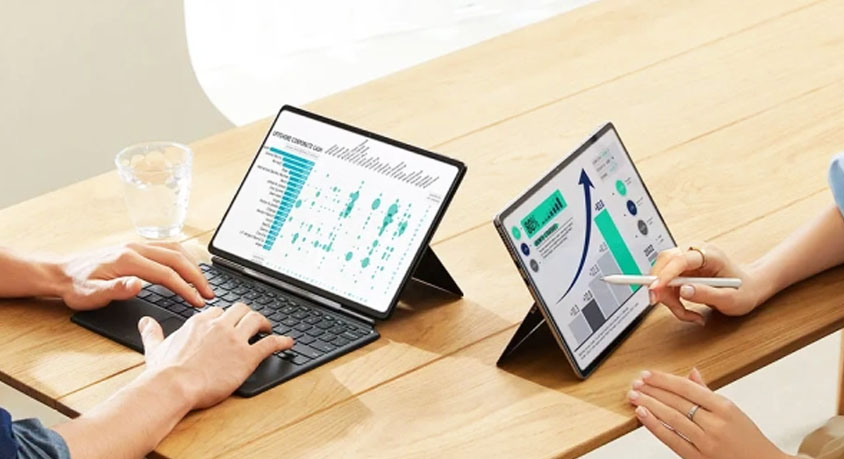
The marketing images are always the same: a creative professional sitting in a sun-drenched cafe, effortlessly "working" on a tablet with nothing but a stylus and a thin keyboard cover. It’s a vision of digital liberation that suggests the bulky laptop is a relic of the past. But for the international professional who actually deals with multi-source data, complex folder structures, and legacy software, this dream often shatters the moment you try to do something as simple as moving three files from a zip folder to an external SSD while renaming them.
The fundamental disconnect isn't the processor. Modern tablet silicon is often faster than the chips found in mid-range ultrabooks. The bottleneck is the "Sandboxed" nature of mobile operating systems. Unlike a desktop OS, which allows you to see the "skeleton" of your data, tablet systems are designed to hide the file system from the user. This leads to a "Permission Marathon"—a series of endless taps and pop-ups just to grant an app access to a folder that is already on your own device.
In a high-pressure office environment, these micro-frictions add up. On a standard laptop, dragging a batch of photos into a presentation takes two seconds. On a tablet, it often involves exporting, "sharing" to a specific app, and praying the formatting doesn't break during the transition. For anyone whose job requires "File-Heavy" multitasking—researchers, accountants, or project managers—the tablet doesn't save time; it adds a layer of management overhead that feels like working through a keyhole.
The industrial design of these "Pro" tablets is undeniably seductive. They are marvels of aluminum and glass, thinner than a magazine and featuring screens with better color accuracy than most professional monitors. However, this thinness comes at the cost of "Lap-ability." A laptop has a weighted base and a rigid hinge, allowing it to be used on a train tray, a couch, or a park bench. A tablet with a keyboard cover is top-heavy and requires a flat, stable surface to prevent it from toppling over. You haven't gained mobility if you’re now restricted to only working at a desk.
If your work is 90% "Linear"—meaning you do one thing at a time, like sketching, writing a long-form article, or marking up PDFs—the tablet is a masterpiece of focus. It removes the distractions of a desktop and puts your content front and center. But the moment your workflow becomes "Relational"—requiring you to pull data from three different sources to create a fourth—the tablet becomes an obstacle.
When making a buying decision, don't ask if the tablet can do the work; ask if the tablet makes the work easier. Just because a device is powerful enough to run a desktop-class app doesn't mean the interface is optimized for your efficiency. True digital mastery is about choosing the tool that minimizes the distance between your thought and the finished product. If you find yourself spending more time fighting a "Files" app than actually creating, it’s time to admit that the "Pro" tablet is a brilliant companion, but a frustrating replacement. Efficiency is about flow, not just aesthetic minimalism.
Disclaimer: Mention of any brand or trademark is for identification only and does not imply partnership or endorsement