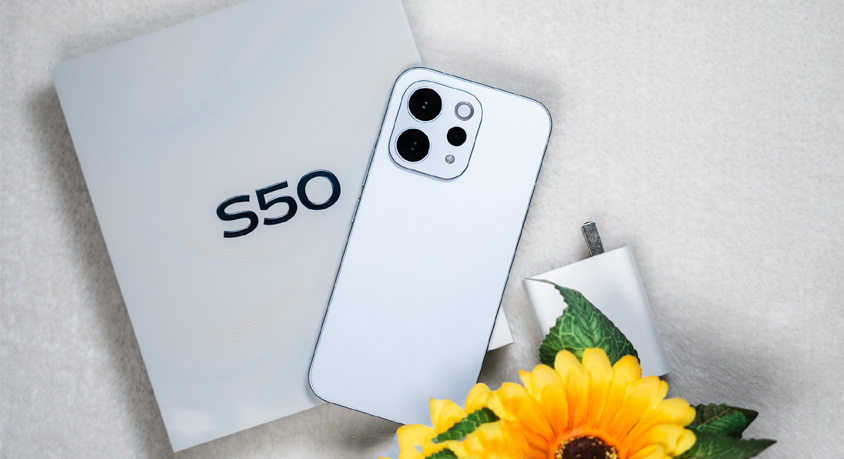

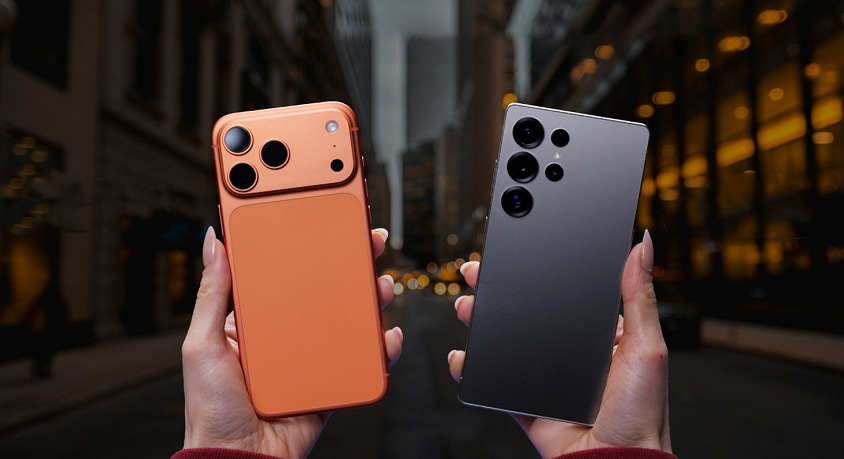
Switching between the iPhone 17 Pro and Galaxy S25 Ultra during my week-long test felt like juggling two high-end beasts, each trying to outdo the other in ways that matter for daily grind. If you're coming from an iPhone 15 or S23, the jump isn't revolutionary, but tweaks in processing and build quality add up in subtle ways. Like, the iPhone's titanium frame still feels premium without the extra weight, and Samsung's flatter edges on the S25 make one-handed use less slippery, especially when I'm rushing through emails on a crowded train.
Camera-wise, I put both through real-world paces, not just lab stuff. Snapping photos of my morning coffee run, the iPhone 17's main sensor captures colors that pop naturally – think vibrant reds on a berry smoothie without overdoing it. Apple's computational photography shines here; it handles low-light shots in dimly lit cafes better, reducing noise so your Instagram posts don't look grainy. But flip to zoom, and Samsung pulls ahead. The S25 Ultra's 10x optical zoom let me capture a street performer from across the park with details sharp enough to see the sweat on their brow. Tip: on the iPhone, use the new macro mode for close-ups of food textures – hold steady and tap to focus for that pro look without apps. Samsung's zoom, though, demands a tripod for anything over 30x to avoid blur, which I learned the hard way during a hike when shaky hands ruined a mountain vista shot.
Video editing on these phones turned my casual clips into something shareable. I filmed a quick vlog on the iPhone 17 using its 4K at 120fps mode, then edited in the Photos app – seamless with Apple Intelligence suggesting cuts based on motion. It auto-stabilizes shaky footage from walking tours, saving time when I'm piecing together a day trip video. Galaxy S25's AI, under Galaxy AI, offers real-time captioning during recording, handy for interviews or noisy environments. But editing felt clunkier; I had to jump into Samsung's Gallery app, where the AI trim tool sometimes overcrops faces. Personal hack: on iPhone, duplicate your clip before edits to experiment without losing originals. For Samsung, enable the object eraser in post – wiped out a photobomber in one tap during my test of a family picnic video. Neither is perfect; iPhone clips export faster to my Mac, but S25 integrates better with Windows for quick shares.
Battery life hits different depending on how you push them. The iPhone 17's roughly 4,400mAh cell lasted me through a full day of mixed use – streaming podcasts, navigating maps, and scrolling feeds – ending with about 20% left by bedtime. Samsung's S25 Ultra packs closer to 5,000mAh, which stretched to 1.5 days on lighter days, but heavy tasks like 4K video drain it quicker than expected. During a road trip, I charged the iPhone once via USB-C in the car, while the S25 supported faster 45W charging to top up in under an hour. If you're upgrading, consider your habits; iPhone's optimization means less anxiety over outlets, but Samsung wins for marathon sessions. Pro tip: dim the always-on display on both to squeeze extra hours – I toggled it off on the S25 during flights and gained noticeable runtime.
AI functions blend into routines without much fanfare. Apple Intelligence on the iPhone 17 handles Siri queries with more context, like pulling up recipes from a photo of ingredients in my fridge. It's reliable for voice-to-text in meetings, transcribing notes accurately even with background chatter. Galaxy AI counters with circle-to-search, where I drew around an object on screen to identify a plant during a walk – instant results from Google integration. But Apple's ecosystem locks you in tighter; switching to my iPad for continued editing feels effortless, while Samsung's DeX mode turns the phone into a mini-PC for productivity, which I used to mirror to a hotel TV for presentations. Drawback: Apple's AI rollout feels staggered, with some features still beta-like in reliability.
Game performance kept me hooked during downtime. Running Genshin Impact on the iPhone 17 at high settings, the A19 chip managed smooth 60fps without overheating much – frame drops were rare even in crowded battles. Galaxy S25's Snapdragon 8 Gen 4 pushed similar graphics, but its vapor chamber cooling meant longer sessions before throttling; I played for two hours straight on a commute without the back getting too warm. Both support ray tracing now, adding realistic shadows to titles like Call of Duty Mobile. If upgrading from older models, the boost is tangible – no more lag in multiplayer lobbies. Quick advice: on iPhone, close background apps via the switcher before gaming to free RAM; Samsung's game booster auto-optimizes, but manually set it to performance mode for peak output.
Upgrade value? If your current phone handles basics fine, wait for deals – I skipped the 16 for the 17's refined haptics, but S24 owners might hold off unless zoom is a must. Ecosystem pulls strongest; Apple's seamless sync with AirPods and Watch edges out for loyalists, while Samsung's open Android world offers more customization, like sideloading apps for niche tools. In my hands, the iPhone feels more polished for creative tasks, but S25's versatility wins for adventurers needing that extra zoom or battery push. Pick based on what bugs you most about your current setup – camera quirks, AI hiccups, or just wanting fresher hardware without breaking the bank.
Disclaimer: Mention of any brand or trademark is for identification only and does not imply partnership or endorsement