

In an era of soaring tuition and living costs, the pressure to acquire premium tech for college can feel like an unofficial enrollment fee. The narrative insists you need a latest-generation iPad Pro or a high-end Surface to handle academic work. This creates a perverse financial paradox: going into debt for a device to learn how to manage your future finances. I rejected this premise and conducted a semester-long experiment: could a $100 tablet, subjected to a series of software and workflow "hacks," genuinely handle the core demands of university coursework? The device in question was the 2025 Amazon Fire HD 10, often dismissed as a media consumption toy. The answer is a qualified but resounding yes—if you are willing to trade convenience for cunning, and understand that the primary limitation is not the hardware, but the expectation of how work should be done.
First, a sober look at the raw material. The Fire HD 10 features a 10.1-inch 1920 x 1200 LCD, a MediaTek Helio G80 processor, 3GB of RAM, and 32GB of storage expandable via microSD. It runs Fire OS, a heavily modified, advertising-supported version of Android that lacks the official Google Play Store. Its chassis is plastic, its cameras are basic, and its performance is decidedly modest. On paper, it is utterly outclassed by any laptop or premium tablet. However, its battery life is a staggering 12 hours, its screen is perfectly adequate for reading, and its cost is negligible. The challenge isn't its specs; it's its walled-garden software environment. The "hack" begins not with hardware, but with liberating the software.
Step one is bypassing the Amazon ecosystem's primary constraint. Using a well-documented, legitimate process, I side-loaded the Google Play Store and core Google Mobile Services. This five-minute procedure, requiring a PC to download a few APK files, transforms the device. It is the single most critical intervention. Suddenly, the full universe of Android productivity apps becomes available: Google Docs, Sheets, and Slides; Microsoft Office; citation managers like Zotero; note-taking apps like OneNote; and institutional apps for university email and learning management systems (Canvas, Blackboard). The tablet is no longer a passive consumption portal but a potential productivity endpoint.
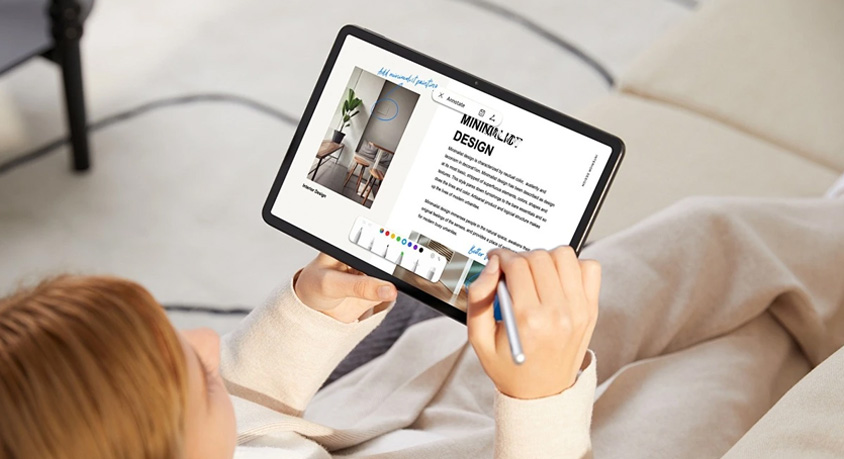
The core strategy then shifts to a cloud-native, browser-first workflow. The Fire HD 10's processor struggles with complex, desktop-grade applications. The solution is to not run them locally. For writing my thesis, Google Docs in the Chrome browser was perfectly fluid. For data analysis, I used Google Sheets for light work and relied on university-provided virtual lab access or even a free-tier Google Colab notebook for Python-based work, treating the tablet as a thin client. For reading, the tablet excels: the Kindle app, PDF viewers, and browser-based journal access are its natural habitat. The 10-inch screen is large enough for comfortable split-screen use, like having a PDF open next to a note-taking app. A $40 Bluetooth keyboard (like the Logitech K380) is a mandatory investment, creating a rudimentary but functional laptop-like setup for under $150 total.
The most significant compromises are in specialized software. You cannot run desktop applications like SPSS, AutoCAD, Final Cut Pro, or advanced IDEs locally. This is the true delineator. For students in humanities, social sciences, business, or any field where the primary tasks are research, writing, and communication, this hacked Fire tablet is overwhelmingly sufficient. For engineering, architecture, computer science (beyond introductory web-based coding), and professional media production, it is a non-starter. In those cases, the required software defines the hardware, and a used laptop becomes a more viable budget option.
Therefore, this path is not about making a cheap tablet something it's not. It's about rigorously aligning your academic workflow with the device's inherent strengths: long battery life, a decent screen for reading, and access to web-based productivity suites. It forces a lean, organized, and cloud-centric approach to work.
The target audience for this "survival kit" is the budget-constrained student in a non-STEM field, the savvy learner who views tech as a tool rather than a status symbol, and anyone needing a superb secondary device for reading and writing. It is a masterclass in necessity-driven innovation.
It is a poor choice for students in technical disciplines requiring specific software, those easily frustrated by occasional latency in web apps, or anyone who values a seamless, integrated ecosystem over cost savings.
The ultimate lesson of the $100 thesis tablet is one of resource allocation. The $900 you save by not buying a premium tablet can cover textbooks, groceries, or reduce loan burden. The "hack" isn't just a technical workaround; it's a cognitive shift. It proves that in the age of cloud computing, the intelligence required to succeed in college resides primarily in the student, not in the silicon of their device. The most powerful performance upgrade for a student on a budget isn't a faster chip—it's a more creative and disciplined approach to using the perfectly capable, inexpensive tools already within reach. The tablet didn't write the thesis; it provided the constrained canvas upon which the work was done, and in doing so, taught a more valuable lesson about focus and frugality than any premium device ever could.
Disclaimer: Mention of any brand or trademark is for identification only and does not imply partnership or endorsement